
Data discrepancies between Google Ads and Analytics are a common problem. The two systems operate on different methodologies and count different metrics. Google Ads counts clicks, while Google Analytics counts sessions and users, which can cause differences between the reported data. But what if…
Google Analytics shows no traffic from Google Ads
Cause 1: Auto-tagging is off
When configured correctly, Google Ads traffic appears in Analytics in the Traffic acquisition report as google / cpc.
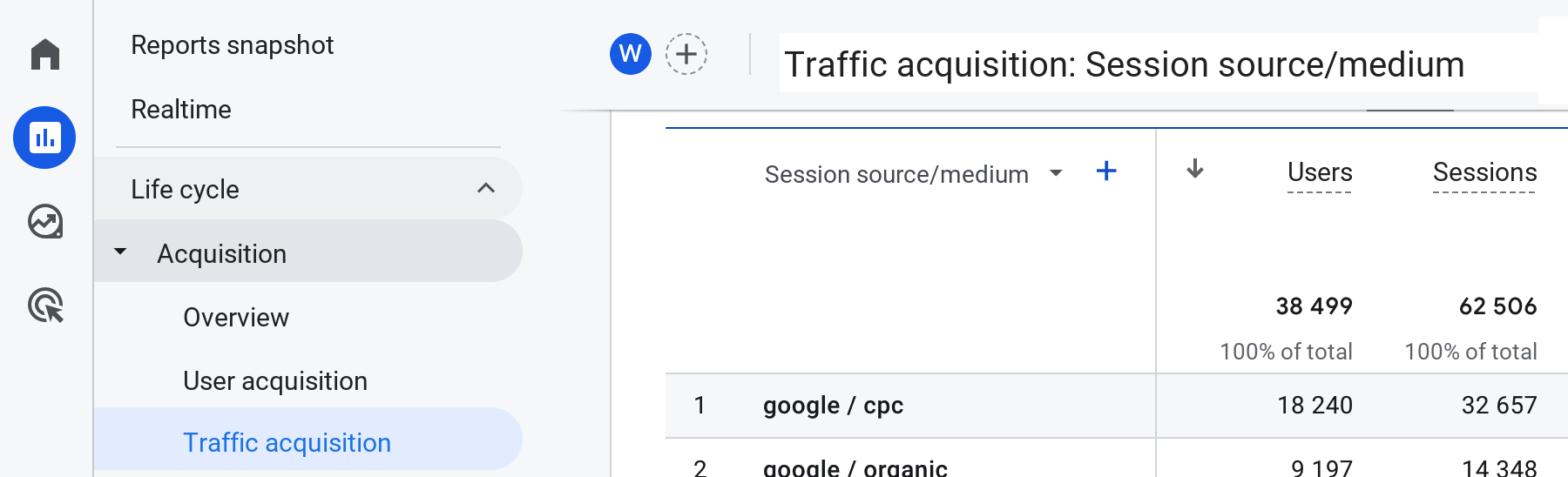
For this to happen, Google Analytics has to recognize that it isn’t an ordinary click from search — which it identifies via the HTTP referer (the address of the referring page), e.g. google.com — but a click on an ad link.
To make that possible, a parameter indicating that this is an ad redirect must be appended to the ad’s landing page, e.g. the gclid parameter:
https://adequate.digital/?gclid=Cj0KCQiA1rSsBdDHARIsANB4EJYCcr9-gmC67iUZa6vk1W9BG8YWoBi5DXFzobIE6Ujad6qJh7U37CcaAmgBEALw_wcB
Google Ads adds it to ad links automatically, unless you untick this option in your Google Ads account settings.
So if you don’t see Google Ads traffic in Analytics, one possible cause is that auto-tagging is disabled. Without the gclid tag, this traffic will be identified as google / organic or google.com / referral.
Cause 2: Google Ads and Analytics accounts are not linked
Under Acquisition > Overview in Analytics there’s a Google Ads report card which opens the full Google Ads report, showing among other things data on clicks and campaign cost.

The condition for this data to appear is linking your Google Ads and Analytics accounts. The link lets you import click, cost, search term, ad and asset data into Analytics. To link the accounts, go to Tools > Linked accounts in Google Ads, or in Google Analytics to Admin > Product links.
Cause 3: Faulty redirects
Auto-tagging is on, yet you still don’t see google / cpc traffic — or there’s drastically less of it than clicks? Accounts are linked, you see the clicks, but no sessions attributed to them? The most likely cause is the gclid parameter being stripped during the redirect to the landing page.
Example: suppose the campaign’s landing page is https://adequate.digital/audit, but the ad uses a slightly different final URL, e.g.
- httрs://adequate.digital/audit/
- httрs://adequate.pl/audit
- httр://adequate.digital/audit
(the differences: http instead of https, trailing slashes)
Visiting such a modified link triggers an automatic redirect to https://adequate.digital/audit. However, the server’s 301 redirect settings may work in a way that doesn’t pass the parameters along. Since the Google Analytics tracking code only fires on the landing page, in this situation Google Analytics won’t recognize that the traffic came from Google Ads.
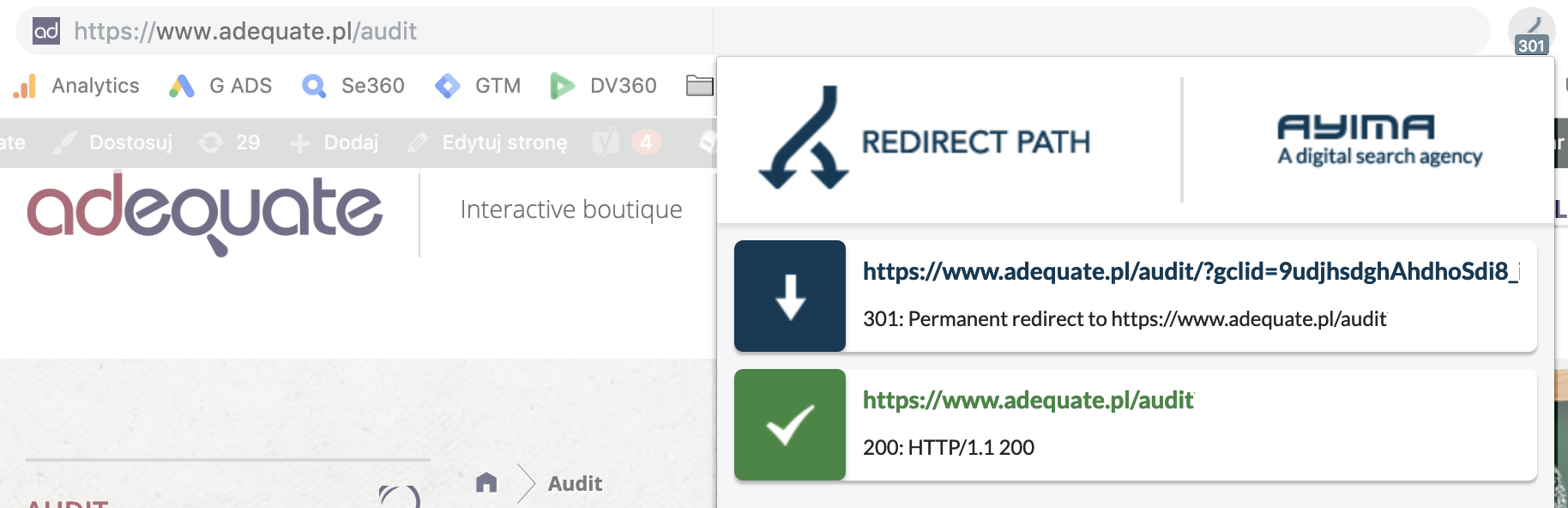
To avoid this, make sure the ads’ final URL matches the landing page address exactly, so the server doesn’t need to perform any redirects. Additionally, it’s worth changing the server’s redirect settings so that they don’t drop parameters. That way you’ll avoid similar errors in the future.
Natural differences between Google Ads clicks and Analytics sessions
Some differences between sessions and clicks can also be natural and don’t indicate errors. The most important causes of such discrepancies are:
- Some clicks may not lead to a session, e.g. if the user closes the browser before the Analytics code loads; hence there may be fewer sessions than clicks;
- Google Ads reports exclude clicks deemed invalid, whereas Google Analytics treats them as normal visits — so there may be more sessions than clicks in Google Ads;
- Direct visits from returning users who previously arrived via Google Ads will still be attributed to the earlier source (in this case Google Ads), so there may be more sessions than clicks; you may also see sessions from campaigns you no longer run.
More on this in the Google Analytics help article.
